
- How to Migrate from Rank Math to SureRank
- How to Migrate from Yoast to SureRank
- How to Migrate from SEOPress to SureRank SEO
- How to Migrate from Squirrly SEO to SureRank
- How to Migrate from All in One SEO (AIOSEO) to SureRank
- How to Migrate from Slim SEO to SureRank
- How to Migrate from The SEO Framework to SureRank
- Migration Failed: How to Diagnose
- After You Migrate: Verification and Cleanup Checklist
- Sitemaps in SureRank
- How to Enable Video Sitemap in SureRank Pro
- How to Enable the News Sitemap in SureRank
- How to Show the HTML Sitemap on Your Site in SureRank Pro
- How to Regenerate the Sitemap After Excluding a Post Type in SureRank
- Change the Sitemap URL in SureRank
- How to Enable Author Sitemap in SureRank
- How to Exclude Post Types from the Sitemap
- How to Enable the Author Sitemap and Why Authors Are Excluded (Pro)
- Editing Meta Box
- SureRank – Page SEO Checks
- Enabling Page SEO Checks in WordPress
- Image Alt Text – Automatic Optimization
- Link Manager
- Using the SureRank Front-End Meta Box
- How to Edit the Meta Title and Description for a Single Page or Post
- Controlling Indexing with Robot Instructions
- How to Set Global Title and Description Templates with Variables
- How to Set a Canonical URL and How the Canonical Field Works
- Schema Setup in SureRank
- How to Test Schema Markup
- How to Edit Page-Level Schema in SureRank
- Article Schema
- BreadcrumbList
- Organization Schema
- Product Schema
- Person Schema
- SearchAction
- WebPage Schema
- WebSite Schema
- DiscussionForumPosting Schema in SureRank
- How to Add Custom Schema in SureRank
- How to Set Up Local Business Schema for Multiple Locations in SureRank
- FAQ Schema in SureRank
- HowTo Schema in SureRank
- Course Schema in SureRank
- Event Schema in SureRank
- Movie Schema in SureRank
- Podcast Schema in SureRank
- Software Application Schema in SureRank
- Dataset Schema in SureRank
- Video Schema in SureRank
- Claim Review Schema in SureRank
- Book Schema in SureRank
- Job Posting Schema in SureRank
- Service Schema in SureRank
- Recipe Schema in SureRank
- How to Use Schema Pro with SureRank
- Local Business Schema in SureRank
- How to Add a Custom Field in SureRank Schema
- Validating Your Schema: Rich Results Test Warnings vs. Errors
- How to Fix WWW and Non-WWW Version Redirects to Improve Your SEO
- How to Fix: No H1 Heading Found on Your Homepage
- How to Fix Missing H2 Headings on Your Homepage
- Re-run Checks Button in SureRank
- Fix Critical Error: Another SEO Plugin Detected in SureRank
- Fix Warning: Site Tagline Is Not Set in SureRank
- How to Fix: Robots.txt Contains Invalid Rules in SureRank
- How to Fix Multiple SEO Plugins Detected on Your Site
- How to Fix: Homepage is Not Indexable by Search Engines
- Warning: Homepage Does Not Contain Internal Links
- How to Fix: Search Engine Title is Missing on the Page
- Page Level SEO: Broken Links Detected
- How to Fix Missing Alt Text on Images
- How to Fix Page URLs That Are Too Long
- Page Level SEO Warning: No Links Found on This Page
- Page Level SEO Warning: No Images or Videos Found
- Page Level SEO Warning: Missing Search Engine Description
- Page Level SEO Warning: No Subheadings Found on This Page
- Page Level SEO Warning: Canonical Tag is Missing
- Page Level SEO Warning: Open Graph Tags Missing
- What is Google Search Console and how does SureRank use it?
- Recommended Image Sizes
- SureRank – SEO Check Severity Guide
- Using SureRank with Other SEO Plugins – Best Practices
- Import/Export Feature – SureRank Plugin
- What is llms.txt and Does SureRank Support It?
- Does SureRank offer a keyword rank-tracking feature?
- Does SureRank Come With Google Analytics Integration?
- Email Summary in SureRank
- SureRank Role Manager
- Fixing a Fatal Error After Updating SureRank
- SureRank Server Requirements
- Search Engines Not Indexing Your WordPress Site?
- Sitemap Not Showing in SureRank
- Fixing robots.txt Issues in SureRank
- Why a Working Link Is Flagged as Broken (404)
- Which Pages Are Included in Your SureRank Sitemap
- Fixing False SEO Audit Warnings Caused by Caching
- Fixing “Couldn’t Fetch” for Your Sitemap in Google Search Console
- Troubleshooting: Favicon and Logo in Google Search Results (Supported Formats and CDN Gotchas)
- Customize XML Sitemap Top Bar with surerank_sitemap_top_bar_data
- Analyze ACF Field Content with SureRank
- Preserve Modified Date During Updates surerank_freeze_modified_date
- Customize Final Title Tag surerank_final_title
- Customize Post Type Archive Title Output surerank_post_type_archive_title
- Customize Archive Page Title with surerank_archive_title
- Customize the Search Results Page Title surerank_search_title
- Customizing the 404 Page Title surerank_not_found_title
- Customizing the Title Separator surerank_title_separator
- Disable SureRank’s Document Title Integration
- What Is AI Ready in SureRank?
- How to Fix the Indexing and Snippet Rules Result in SureRank AI Ready Checks
- How to Fix the Home Page Text Without JavaScript Result in SureRank AI Ready Checks
- How to Handle the OAuth Discovery Result in SureRank AI Ready Checks
- How to Handle the A2A Agent Card Result in SureRank AI Ready Checks
- How to Handle the Web Bot Auth Result in SureRank AI Ready Checks
- How to Fix the Site Slow and Site Unreachable Results in SureRank AI Ready Checks
- How to Fix the llms.txt Result in SureRank AI Ready Checks
- How to Fix the Content Signals Result in SureRank AI Ready Checks
- How to Fix the MCP Server Card Result in SureRank AI Ready Checks
SearchAction
The SearchAction schema helps search engines understand that a page offers a search feature. Google removed the sitelinks search box in November 2024, so this markup no longer enables that feature in Google Search.
Creating a SearchAction Schema
Follow the steps below to add and configure the SearchAction Schema using SureRank.
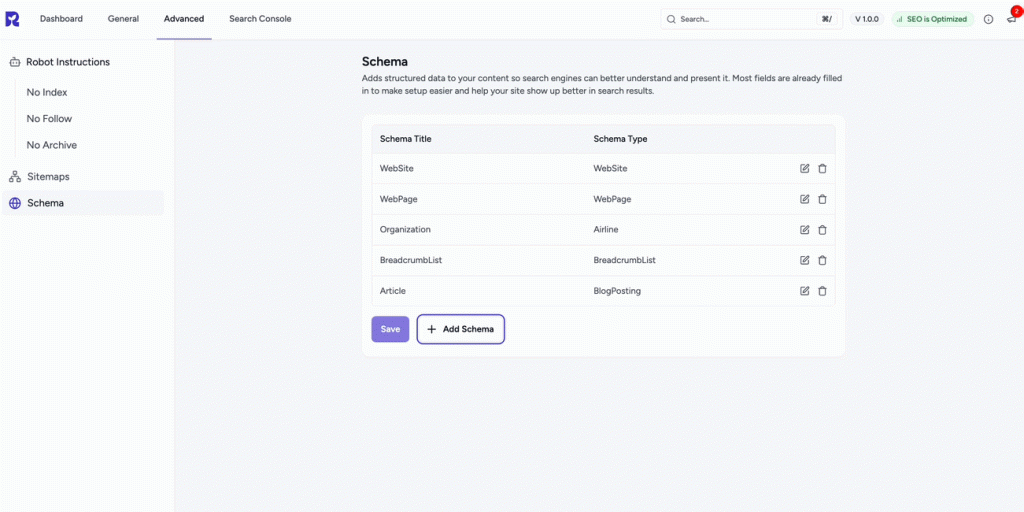
- Click on the Add Schema button.
- A popup will appear. From the dropdown menu, select SearchAction Schema.
- Click on the Add Schema button to create the SearchAction Schema.
- Once created, the SearchAction Schema configuration page will appear, containing two tabs:
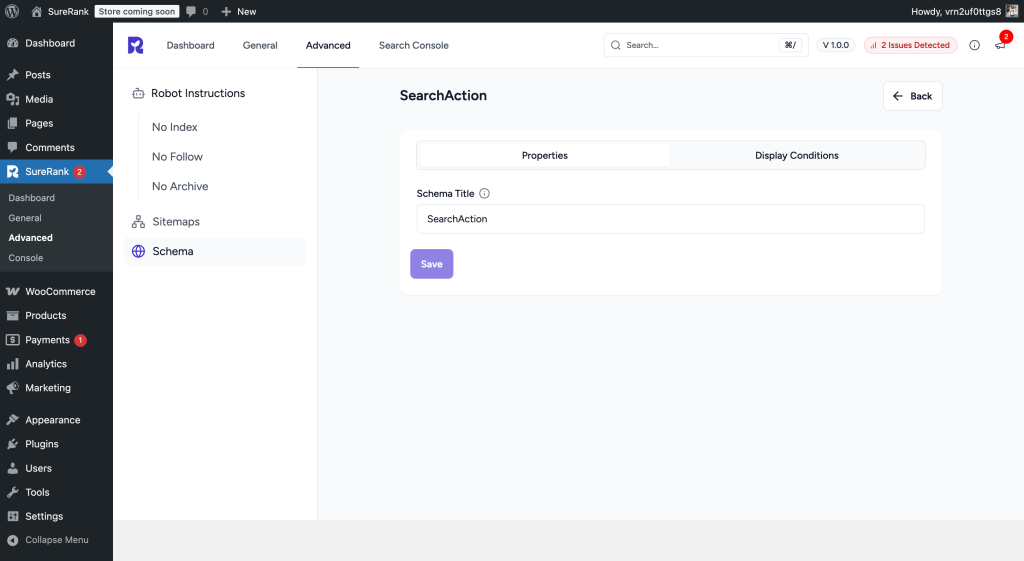
- Properties
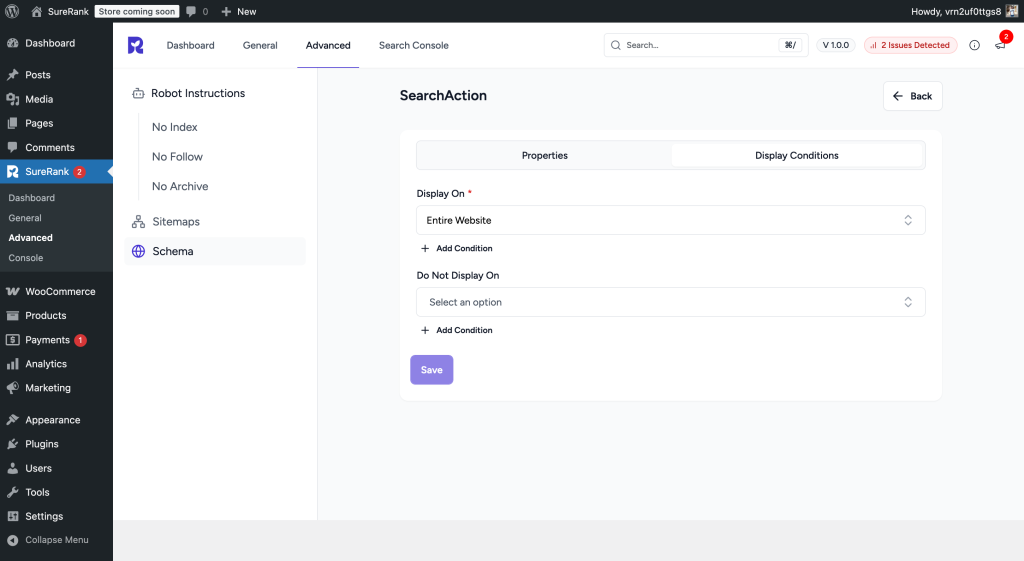
- Display Conditions
Properties Tab
The Properties tab contains a list of schema fields. Fields marked with an asterisk (*) are mandatory.
Here’s a breakdown of each field:
| Field Name | Description |
|---|---|
| Schema Title | Enter a descriptive name for internal use |
Display Conditions Tab
- Display On: Select where you want the SearchAction Schema to appear (Required field).
- Do Not Display On: Define where the schema should not be applied.
Verifying the Schema
Once you have configured the schema, verify its correctness using one of the following tools:
Use the Schema Markup Validator to inspect the structured data. Google’s Rich Results Test no longer highlights sitelinks search box markup, and validation does not guarantee a search feature.
We don't respond to the article feedback, we use it to improve our support content.